
Roblox runs on almost any modern laptop, but “runs” covers a massive range. A $650 machine will hold 60fps in most experiences. A $750 machine handles demanding user-created worlds without dropping frames. And if you stream or build in Roblox Studio, you need something closer to $1,200. Here’s a breakdown of the best gaming laptops for Roblox at every price point, with real spec reasoning behind every pick.
What Roblox Actually Demands From Your Hardware
Here’s what most guides skip: Roblox isn’t GPU-heavy by design. Its base engine is lightweight. The performance wall hits specifically inside high-poly user-generated experiences, sprawling roleplay maps, horror games with custom shaders, or anything pushing Roblox’s newer lighting engine at full quality settings.
That shifts the priority list entirely. CPU clock speed matters more than GPU tier for standard play. RAM availability and display refresh rate matter more than raw graphics power. A dedicated GPU only becomes critical when you’re maxing quality sliders or running OBS simultaneously.
Minimum Specs for Smooth Roblox (60fps Target)
| Component | Minimum Requirement |
|---|---|
| CPU | AMD Ryzen 5 7000 series or Intel Core i5 13th Gen |
| RAM | 16GB (8GB stutters in complex experiences with Discord and a browser open) |
| GPU | NVIDIA GTX 1650 or RTX 3050 |
| Display | 1080p at 144Hz preferred |
Recommended Specs for High-Frame-Rate Play
| Component | Recommended Spec |
|---|---|
| CPU | AMD Ryzen 7 8000 series or Intel Core i7 14th Gen |
| RAM | 16GB DDR5 |
| GPU | NVIDIA RTX 5050 or RTX 4060 |
| Display | 144Hz to 180Hz FHD |
Laptop Comparison: Budget to High End
| Laptop | Price (USD) | GPU | RAM | Display | Best For |
|---|---|---|---|---|---|
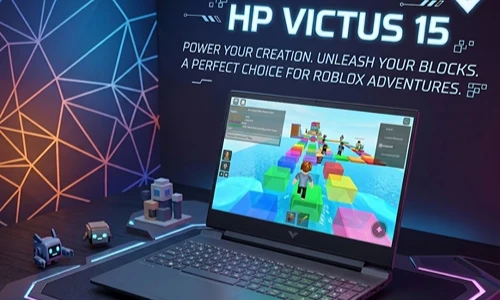
| HP Victus 15 | ~$650 | RTX 3050 | 16GB | 144Hz FHD | Casual Roblox on a tight budget |
| Acer Nitro 5 (2026) | ~$670 | RTX 5050 | 16GB DDR5 | 180Hz FHD | Best budget all-rounder |
| Lenovo LOQ 15 | ~$750 | RTX 5050 | 16GB DDR5 | 144Hz FHD | Quiet, reliable mid-budget pick |
| MSI Katana A15 AI | ~$850 | RTX 4060 | 16GB | 144Hz FHD | Creators and streamers |
| ASUS ROG Strix G16 | ~$1,300 | RTX 4070 | 16GB DDR5 | 165Hz QHD | Multi-game + streaming |
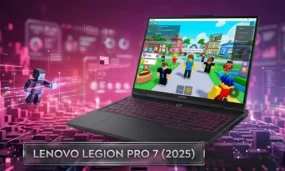
| Lenovo Legion Pro 7 (2025) | ~$2,500+ | RTX 5080 | 32GB DDR5 | 500-nit OLED | Professional developers |
Budget Tier: Under $800
Acer Nitro 5 (2026): Best Budget Gaming Laptop for Roblox
The 2026 Nitro 5 paired a Ryzen 5 8000 series CPU and RTX 5050, this hit the sweet spot of balanced power and pricing, lobbing Roblox at max settings without breaking a sweat. And, (and), the 180Hz display is a real differentiator at this price. With this hardware most Roblox experiences will be pushing well past 144fps, you’re not just paying for a spec on paper that you wont beneifit from so the extra headroom you are getting here is in practice, not just on paper.
The thermal management is average. Extended sessions in heavy user-created worlds will spin the fans loud. That’s a trade-off worth accepting at $670.
HP Victus 15: Most Accessible Entry Point
If your budget is tighter and Roblox is your primary use case, though, then the HP Victus 15 does the job just fine. It’s not going to fully maximize Roblox’s advanced lighting modes, but for the standard game it manages a stalwart 60fps. The build feels plasticky. The display is serviceable. It won’t impress you, it’ll just work consistently.
Lenovo LOQ 15: Quiet and Dependable
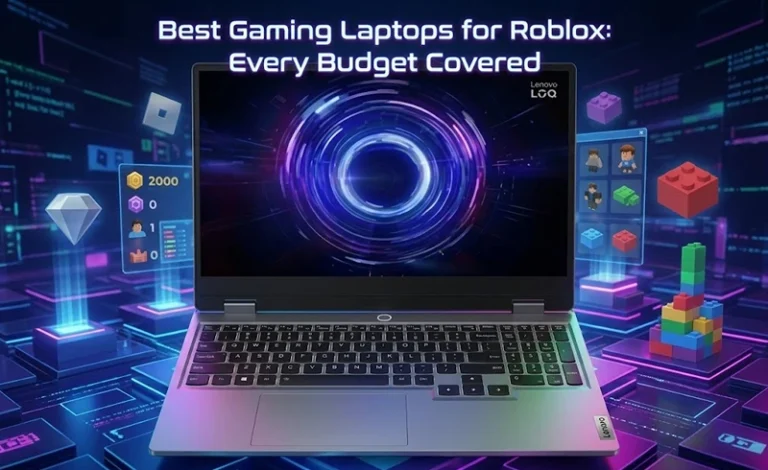
The LOQ 15 is positioned between the Nitro 5 and a real mid-range machine. RTX 5050, 16GB DDR5, decent thermals, it’s noticeably quieter than the Nitro 5 under sustained load, which counts in a dorm room or shared space. Average battery life for a machine this chunky, as well, outside of gaming.
Mid-Range Tier: $800 to $1,500
MSI Katana A15 AI: For Creators and Streamers
At this tier, GPU performance stops being a limiting factor for Roblox itself. The RTX 4060 in the Katana handles Roblox at 1080p high settings while encoding a stream simultaneously, something RTX 5050 machines genuinely struggle with under combined load. If you run OBS, record gameplay, or build content around your sessions, the upgrade to this tier removes real friction.
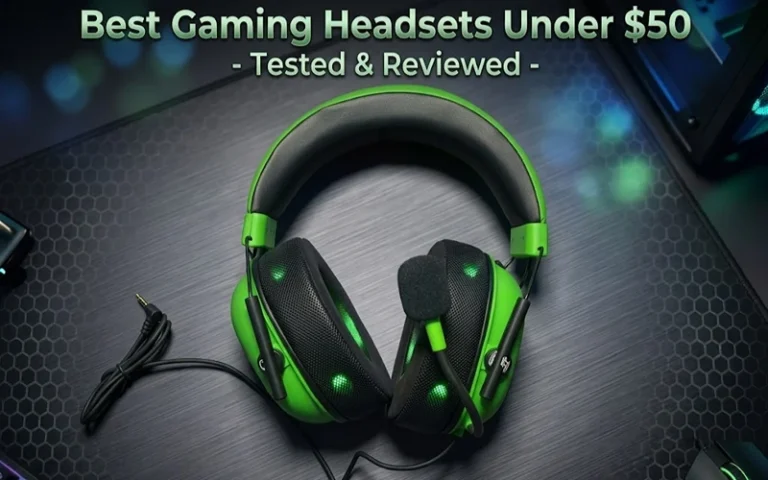
If you’re serious about streaming your Roblox sessions, pairing this machine with a quality headset makes a real difference on stream. The HyperX Cloud III is one of the better options for Roblox at this budget level.
ASUS ROG Strix G16: The Future-Proof Option
The ROG Strix costs $1,300 and makes sense if Roblox is one of a number games you play. The RTX 4070, QHD panel, and 165Hz refresh rate are all major overkill for Roblox alone. But whether you’ve got Valorant, Fortnite or heavier titles on rotation, the Strix handles every one of them without compromise.
The typical failure point at this tier: buyers underestimate how much the display quality upgrade matters for long sessions. Over two or three hours though, the QHD panel keeps things far more comfortable than any 1080p panel in this price tier.
High-End Tier: $2,000 and Up
Lenovo Legion Pro 7 (2025): Professional-grade Power
For most Roblox players, this is overkill, and that’s worth saying directly. The Legion Pro 7 makes sense for Roblox developers running Studio alongside gameplay, professional content creators, or streamers broadcasting at high quality. The RTX 5080 paired with a 500-nit OLED panel changes how Roblox looks, richer lighting, no frame drops in the most complex user worlds.
If Roblox is your main game and you’re not creating or streaming at a serious level, this money goes further elsewhere.
Pro Tips: What Most Buyers Get Wrong
GPU tier is lower priority than display refresh rate for Roblox. On the other hand a mid-tier GPU will give you smoother 144Hz on display vs high-tier 60Hz. Roblox reacts to frame rate in ways that have direct impacts on the feel of gameplay, not just its visual presentation.
8GB RAM is a real problem in 2026. Roblox, a browser with a few tabs, Discord, and background apps will compete for memory. 8GB causes visible stutters in complex experiences. Just make sure the laptop comes with 16GB (or that upgrade slots are available) before purchase.
Roblox thermals matter more than shorter game plays. Roblox sessions be long and all, so in David v. Goliath fashion (and because it was undocumented), I had to take a mine shaft-level approach. A laptop that throttles its CPU after 45 minutes ruins your experience much more than a slightly lower-tier GPU, which high-performance gaming laptops typically throttle to maintain consistent performance over the course of hours. Check thermal reviews before committing.
Storage type affects load times. NVMe SSD speeds matter when loading asset-heavy Roblox experiences. A SATA SSD or HDD causes noticeably longer load screens in complex user-created worlds. Confirm NVMe before buying.
FAQ
How Well Can Roblox Run on A Sub$700 Laptop?
Roblox requires a dedicated GPU?
Is it worth to buy a gaming laptop for Roblox alone?
What Refresh Rate Display Is Best for Playing Roblox?
Your Next Step
The edit of Acer Nitro 5 (2026) at about $670 is the most defensible buy for most players as of now. Its got current Roblox need and will have headspace because that engines going to continue changing.
Gamers, content creators and streamers meet the MSI Katana A15 AI. The performance disparity by streaming on an RTX 5050 versus an RTX 4060 is very much real and translates directly into stream quality.
Check fixed pricing on the manufacturer’s site, as well as retailers like Best Buy and Amazon, laptop prices can change frequently, and a well-timed sale can tip the value balance.
If you want your next read, take a look at how to maximize Roblox graphics settings to get the most frames per second out of any hardware, what specs specifically matter for uplifting development in Roblox Studio, and how to find game codes so you can extract the most value from the experiences you’re already playing.