

The best Xbox controller for PC gaming in 2024 is still the standard Xbox Wireless Controller for most gamers. It connects over Bluetooth or USB-C. It works plug-and-play on Windows 10 and 11. It costs about $60. And if you want Hall effect sticks to stop drift, rear paddles, or mechanical face buttons, Razer and PowerA offer them. You can get these without spending $180 on Microsoft’s Elite Series 2.
Here’s the quick summary before we dig in:
| Controller | Price | Connectivity | Best For | Hall Effect Sticks |
|---|---|---|---|---|
| Xbox Wireless Controller | ~$60 | BT / USB-C | General PC gaming | No |
| Razer Wolverine V2 Chroma | ~$100 | Wired | Competitive / Fighting | No |
| PowerA Fusion Pro 3 | ~$80 | Wired | Feature-packed budget | No |
| Turtle Beach Stealth Ultra | ~$160 | Wireless | Premium all-rounder | No |
| HyperX Clutch Gladiate | ~$35 | Wired | Budget first purchase | No |
| GameSir G7 Pro | ~$50 | Wired | Drift-free longevity | Yes |
Most PC Gamers Should Go With the Xbox Wireless Controller First
By design, Windows and Xbox share a common software ecosystem. This means that you plug a standard Xbox controller in, Windows acknowledges it within seconds and then you find yourself in the game. Zero driver installation, no companion app needed. Simplicity like that is something third-party controllers still don’t really match, some even need a separate app to access their basic remapping features.
The standard controller does have a really good D-pad, especially for 2D games and fighting titles. Its firm grip stands out in long sessions. It feels deliberate without being stiff.
The two real weaknesses: it runs on AA batteries (you’ll want a rechargeable battery pack within a month), and the thumbsticks use traditional potentiometer technology, which degrades and drifts over time. Those two issues are exactly where third-party options earn their keep.
The Best Third-Party Xbox Controllers You Can Get for Your PC (2024 Edition)
Razer Wolverine V2 Chroma: The Best Xbox Controller for Comp Play
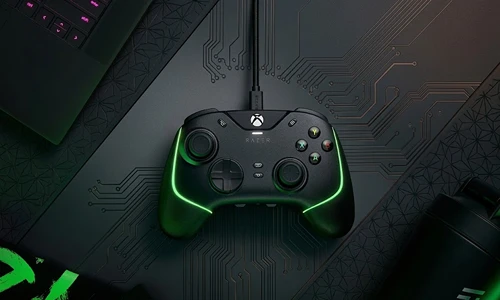
Razer’s mech-tactile face buttons make fighting games feel better. Rather than pushing through soft rubber domes, you get a firm audible click that registers more quickly and reliably. Two additional buttons hover where your index fingers naturally sit, which offers the power to map special moves without taking thumbs off sticks.
This is a wired-only controller, no Bluetooth which actually benefits PC gamers. Wired USB connections on PC average 1ms input latency versus 8-12ms over Bluetooth. For casual play, that gap is invisible. In competitive shooters or fighting games, it’s real.
PowerA Fusion Pro 3: Best Under $100 for Feature Depth
The Fusion Pro 3 delivers three-stage adjustable triggers, something even the standard Xbox controller skips, at roughly half the price of the Elite Series 2. A sim racer running Forza Motorsport wants full trigger travel for precise throttle and brake modulation. A shooter player wants short triggers that register at the first millimeter of press. Most controllers give you two positions. PowerA gives you three, with a satisfying physical switch that doesn’t require diving into a menu.
The retail package includes extra thumbsticks, removable paddles, a swappable faceplate, and a storage case. For $80, the value density is hard to argue with.
Turtle Beach Stealth Ultra: Best Wireless Option if Budget Allows
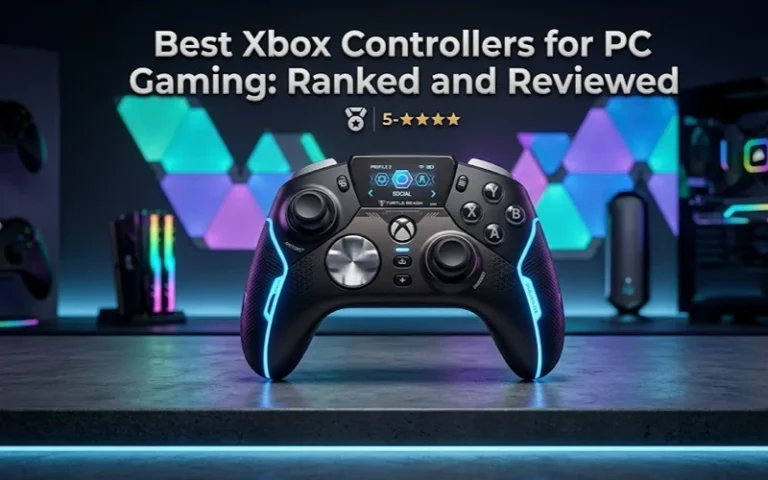
If you want wireless and need more than a standard Xbox controller, the right call is the Stealth Ultra. It charges in a dock, has a built-in display so you can switch profiles quickly, and packs Turtle Beach’s Superhuman Hearing audio processing, an honest competitive edge in multiplayer that counts footstep sounds.
Battery life hovers at about 30 hours per charge in normal use. The RGB lighting is also customizable, requiring no PC app which I consider something of a small yet appreciated detail by those transitioning the console-to-PC route.
HyperX Clutch Gladiate: Best Under $40
For a first gamepad purchase or a backup controller, the Clutch Gladiate over-delivers. Adjustable triggers, a USB-C connector, strong rumble motors, and a two-year warranty, no other controller at this price point offers that combination. The transparent RGB version adds $10 and looks great at a desk setup, though the housing is slightly less grippy than the standard edition.
If audio quality matters as much as controls during your sessions, pairing it with one of the best gaming headsets under $50 keeps your total setup cost reasonable without sacrificing much.
What Most Guides Miss: Hall Effect Sticks and Drift Prevention
Here’s the issue that competitors skim over. Traditional analog sticks use potentiometers, small resistive sensors that physically wear down with use. Every controller above uses them, including Microsoft’s own. The GameSir G7 Pro is the outlier, using Hall effect magnetic sensors that never physically contact each other, meaning they can’t wear and drift in the same way.
If you’ve replaced a controller because the sticks started drifting mid-aim, that’s potentiometer degradation. For players who log heavy hours in any single game, a Hall effect controller can outlast two or three standard gamepads. The GameSir G7 Pro delivers that at around $50, its main limitation is a no-frills design without the premium feel of Razer or Turtle Beach.
Pro Tips From Real PC Gaming Use
| Tip | What To Do |
|---|---|
| Bluetooth instability on Windows 11 | Use the $25 Xbox Wireless Adapter for a dedicated 2.4GHz connection instead of OS-level Bluetooth |
| AA battery frustration | Microsoft’s $25 Play and Charge Kit replaces the compartment with a rechargeable pack permanently |
| Fighting game D-pad matters most | Test D-pad feel before buying any alternative if you play Street Fighter or Mortal Kombat seriously |
| Wireless sleep delay on PC | Wired controllers register inputs during loading screens; wireless can briefly delay on resume |
FAQ
Is the standard Xbox Wireless Controller good for PC gaming?
What is Hall effect technology in game controllers?
Is wired or wireless better for PC gaming?
What's the best budget Xbox controller for PC?
Do third-party Xbox controllers work plug-and-play on Windows?
What to Do Next
If you’re buying your first PC gamepad, start with the standard Xbox Wireless Controller, nothing else matches its setup simplicity and Windows compatibility at $60. If you’re upgrading from one and want trigger flexibility, the PowerA Fusion Pro 3 is the smartest $80 you’ll spend on a controller.
If you want to read more before making up your mind, Microsoft’s official Xbox Accessories app page puts native remapping options for first-party controllers in one place, while Razer has pulled the web documentation for Synapse here on what can be configured without the app as well as what needs it.
Next up, related topics to explore: how to reduce controller input lag on PC, the best PC gaming chairs for long play sessions and how to calibrate analog sticks in Windows 11.