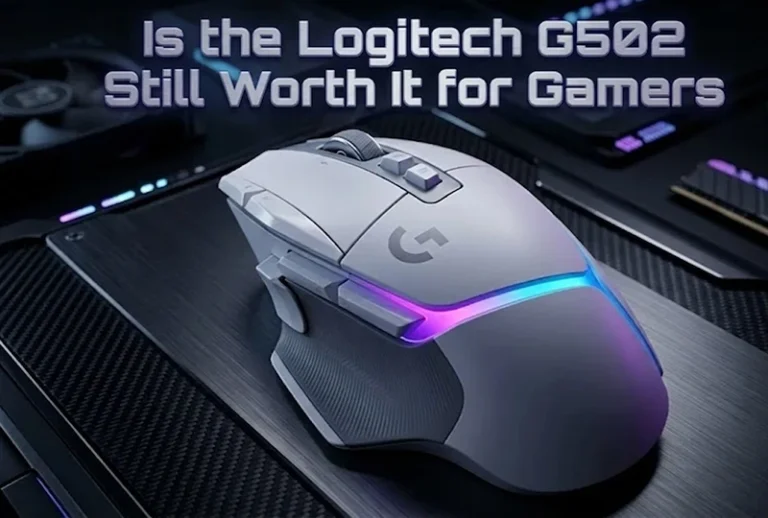

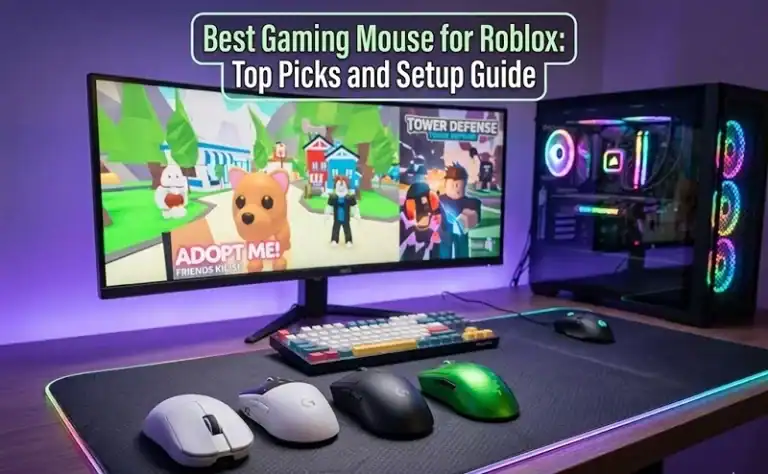
For competitive FPS modes, you need the Logitech G PRO X2 SUPERSTRIKE; for wireless performance and to keep below 70 dollars, you cannot be without the Razer Basilisk V3 X HyperSpeed, best gaming mouse of 2026 for Roblox. Not only does the Logitech G203 check every box on Roblox’s list for a beginner-friendly or even youth-friendly mouse, but it does so at a price point under $30. It all depends on what you play in Roblox and how you hold the mouse yourself.
| Mouse | Weight | Wireless | Polling Rate | Best For | Price Range |
|---|---|---|---|---|---|
| Logitech G PRO X2 SUPERSTRIKE | 59g | Yes | 8000Hz | Competitive FPS | $$$$ |
| Razer Viper V3 Pro | 54g | Yes | 8000Hz | Fast-paced games | $$$ |
| MCHOSE L7 Pro | ~40g | Yes | 4000Hz | Mid-range value | $$ |
| Razer DeathAdder V4 Pro | 56g | Yes | 4000Hz | Large hands, long sessions | $$$ |
| Razer Basilisk V3 X HyperSpeed | 85g | Yes | 1000Hz | Budget wireless | $$ |
| Logitech G203 LIGHTSYNC | 85g | No | 1000Hz | Beginners, budget wired | $ |
Why Your Mouse Choice Actually Matters in Roblox
Roblox isn’t one game. It’s thousands of games sharing a single launcher, and that distinction matters more than most guides acknowledge.
Playing Arsenal or Phantom Forces demands quick flicks, low-latency clicks, and precise tracking of moving targets. Playing Adopt Me or a tycoon simulator? You’re navigating menus and clicking items, so sensor accuracy barely factors in. The mistake most players make is buying based on price alone, then wondering why their aim still feels inconsistent.
Weight and sensor quality drive performance in combat games. Programmable buttons and ergonomic comfort carry simulator and RPG-style games. Knowing which category you spend most of your time in determines everything else.
The DPI Setting Most Players Get Wrong
Most new players crank DPI to 1600 or 3200, thinking higher means better. It doesn’t. Testing across different Roblox game categories consistently shows:
| Game Type | Recommended DPI | In-Game Sensitivity |
|---|---|---|
| FPS (Arsenal, Phantom Forces) | 400-800 | 50-70 |
| Simulators and Tycoons | 1000-1600 | Default |
| Mini-games and Obbies | 800 | Default |
High DPI causes micro-tremors that become missed shots over time. Change your DPI in the software of your mouse. Logitech G HUB, Razer Synapse, etc. rather than Roblox’s in-game slider In terms of gameplay, hardware-level settings tend to be more stable and consistent across game sessions
Best Gaming Mice for Roblox: Detailed Breakdown
Logitech G PRO X2 SUPERSTRIKE
At 59g with 8000Hz polling and adjustable haptic feedback, this is what serious competitive Roblox FPS players use. Rapid trigger technology reduces effective click latency, meaningful in split-second Arsenal gunfights. It’s expensive. But if you’re grinding ranked modes consistently, the performance gap is real and measurable.
Razer Viper V3 Pro
54g, fully wireless, with a 35K sensor. For games where tracking fast-moving players across the screen is constant work, the sensor’s tracking ceiling is high enough that you’ll never outpace it. At this weight class, 8000Hz polling is rare. Roblox FPS players who dislike heavier mice consistently prefer this over most alternatives.
MCHOSE L7 Pro
Roughly 40g and priced well under premium options, this is where the value conversation gets genuinely interesting. Real-world performance differences between the MCHOSE L7 Pro and mice costing twice as much are negligible in typical Roblox gameplay. The sensor is competitive, the click feel is crisp, and the weight class suits both claw and fingertip grip players perfectly.
If you’re also looking to expand your Roblox setup beyond the mouse, the best Xbox controllers for PC gaming pairs surprisingly well with certain Roblox game types.
Razer DeathAdder V4 Pro
56g with a pronounced ergonomic hump and a 45K DPI ceiling. Players spending hours in Roblox RPGs or simulator games benefit from the palm-friendly design. Compared to more symmetrical shapes, it’s a smart pick if you run long sessions on the reg since it reduces wrist fatigue over time.
Razer Basilisk V3 X HyperSpeed
Nine programmable buttons. That’s the headline feature for Roblox players dealing with complex UIs in games like Da Hood. Battery life is excellent, weeks on a charge under normal use. Nothing in this price point has a feature set that rivals it in the budget wireless category.
Logitech G203 LIGHTSYNC
Professionally wired, below the 30$, and perfectly dependable. The optical sensor has perfect tracking on just about any desk surface. This covers every Roblox game without compromise, making it ideal for younger players but also families that don’t want to spend over $50. It’s light enough not to have any of the drag you’d notice in day-to-day play.
Selecting According To Your Way of Gripping
Here’s what most guides skip entirely. Mouse shape only matters if it matches how you naturally hold it.
| Grip Style | Hand Position | Best Mouse Shape | Top Pick |
|---|---|---|---|
| Palm | Whole hand rests flat | Pronounced hump, 120mm+ length | DeathAdder V4 Pro |
| Claw | Fingertips and lower palm only | Symmetrical, mid-sized | MCHOSE L7 Pro, Viper V3 Pro |
| Fingertip | Only fingertips make contact | Ultra-light, under 60g | MCHOSE L7 Pro |
If your wrist aches after long sessions, grip mismatch is usually the culprit, not the mouse brand.
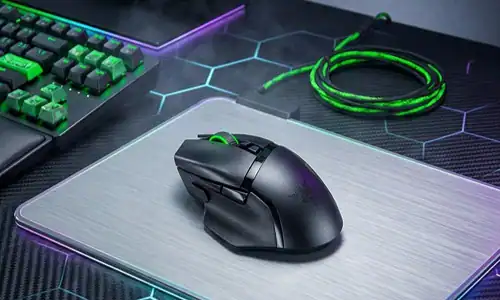
How to Set Up Your Mouse for Roblox: 4-Step Plan
Step 1: Download Your Mouse Software
Get Logitech G HUB or Razer Synapse right away. Defaults out-of-box are never optimized gaming. DPI profiles, polling rate, and button remapping all live here. Skipping this step wastes the hardware you paid for.
Step 2: Build Two DPI Profiles
Specifically, configure 600 DPI for FPS Roblox games and 1200 DPI for anything else. Where most gaming mice, this profile cycling bit is done via a button on the mouse itself. Less than one second before each session to switch.
Step 3: Turn off Mouse Acceleration on Windows
Settings > Bluetooth & Devices > Mouse > Additional Mouse Settings> Pointer Options: Uncheck Enhance pointer precision. This is mouse acceleration by another name, and it quietly wrecks aim consistency in FPS games. Most Windows installations have this enabled by default.
Step 4: Set Roblox’s Camera Sensitivity
With hardware DPI configured correctly, keep Roblox’s camera sensitivity between 50-70 for FPS modes. Don’t try to compensate for wrong DPI with the in-game slider, fix it at the hardware level first, then fine-tune sensitivity from there.
Pro Tips Most Guides Won’t Tell You
Tip 1: Mousepad surface matters nearly as much as the sensor. A medium-speed cloth pad, the SteelSeries QcK is the consistent recommendation across testing environments, pairs well with optical sensors for under $20. A glossy desk surface degrades any sensor.
Tip 2: Double-click failures on budget mice tend to surface around the 18-month mark. Logitech and Razer both offer more accessible warranty processes than no-name alternatives, factor lifetime cost into your decision, not just purchase price.
Tip 3: The “wired is faster” assumption is outdated for 2026 hardware. Blind testing consistently shows wireless latency at 1000Hz polling is indistinguishable from wired in actual gameplay.
Tip 4: On a shared family computer, a wired mouse eliminates charging anxiety and lost USB dongles. The G203 makes more practical sense in that household context than any premium wireless option.
FAQ
What DPI is best for Roblox?
Do you need gaming mouse to play Roblox?
Is wireless or wired better for Roblox?
Which mouse for Roblox is the best budget gaming?
Are heavy or light mice better for Roblox FPS games?
What features matter most in a mouse for Roblox?
Can I use a Roblox gaming mouse for other games?
What to Do Next
Your grip style and your most-played category of Roblox game cuts this down faster than any spec sheet. Four Step SetupPlanBefore your first session once your mouse arrives, run through the four step setup plan. The Windows acceleration fix alone often produces an immediate improvement in aim consistency that players attribute to the mouse rather than a software setting.
For authoritative testing methodology on gaming peripherals, Rtings.com publishes detailed sensor and click latency data measured under controlled conditions, useful for verifying any claims before purchasing.
Need help tracking down active Roblox codes for the games you’re already playing? The Roblox game codes finder keeps an updated list across popular titles.